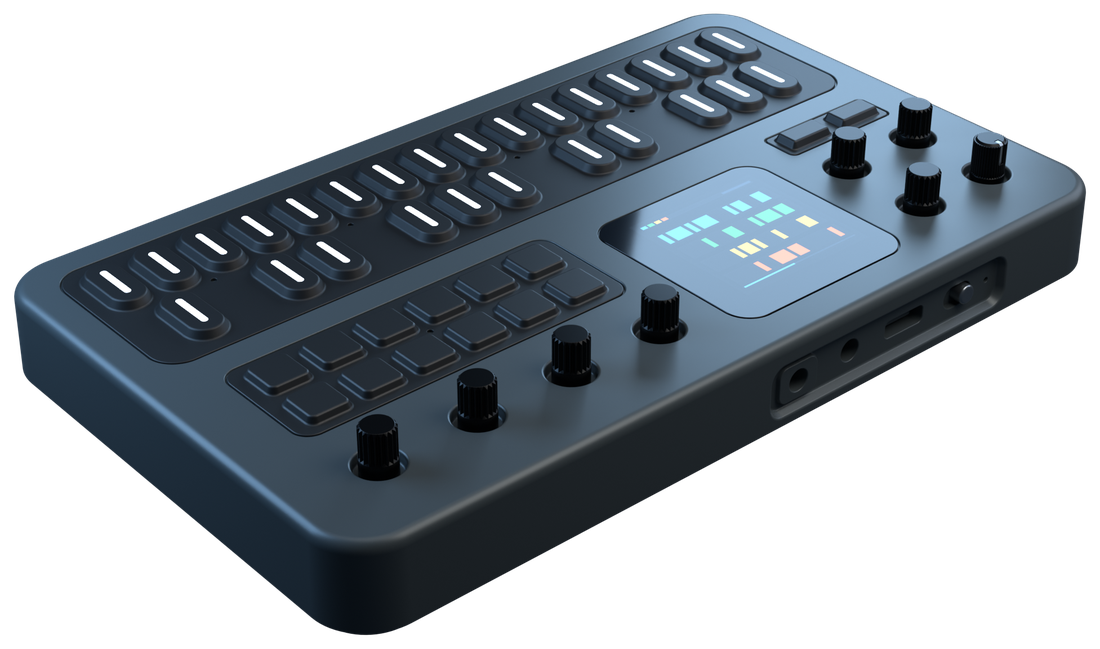
Plug in. It reads your project.
JYBE talks to the FM‑1 over USB, so you get a full screen and a mouse for the things that are slow on a small device. Everything you change appears on the hardware.

- 01ConnectPlug in over USB. JYBE reads the four sections, the sounds and the song order.
- 02MakeDraw notes, shape sounds, or generate a whole song in the genre you pick.
- 03SendSend it to a section or straight to the live loop. What it replaces is backed up first.
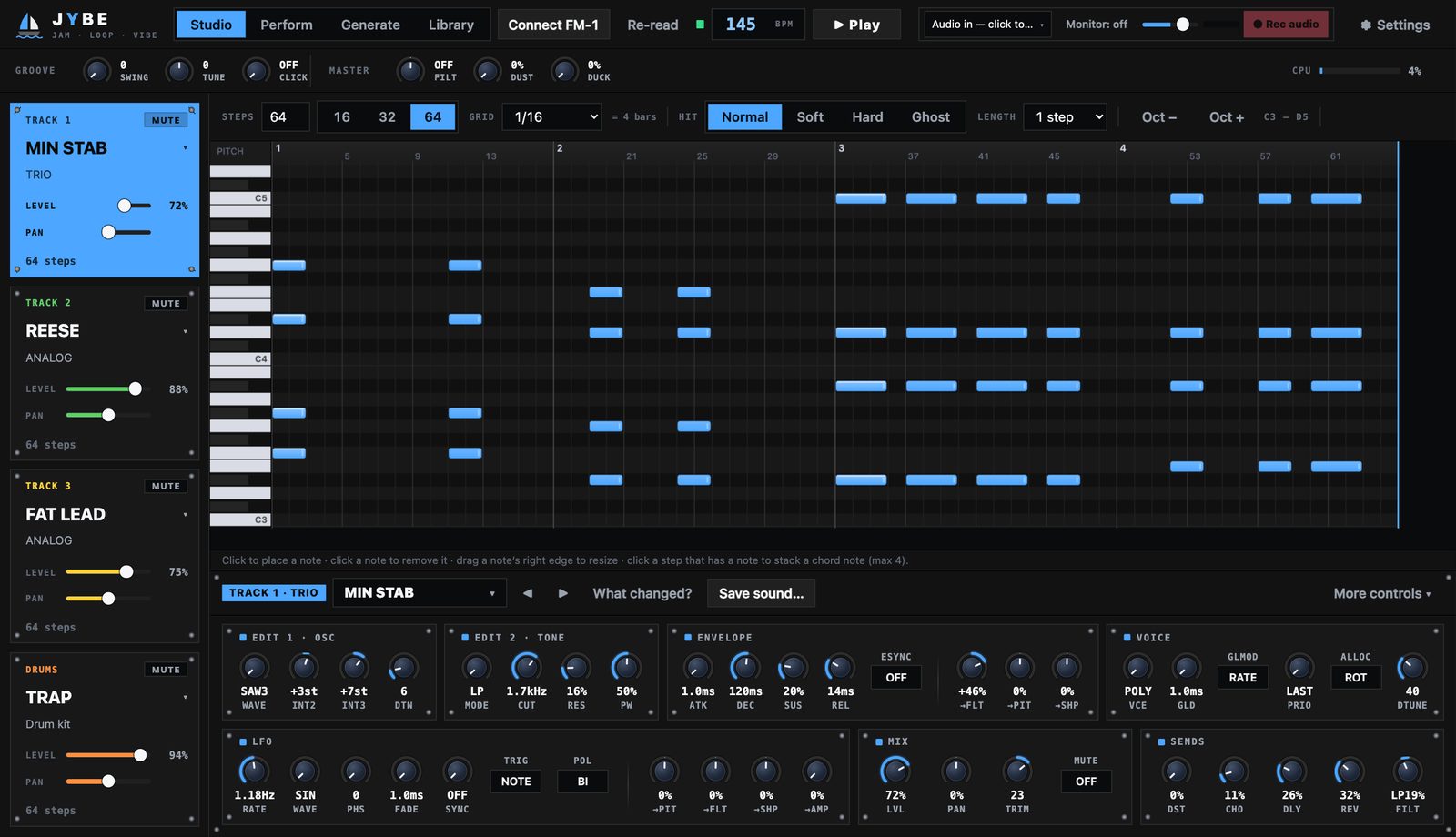
Sequence on a real screen.
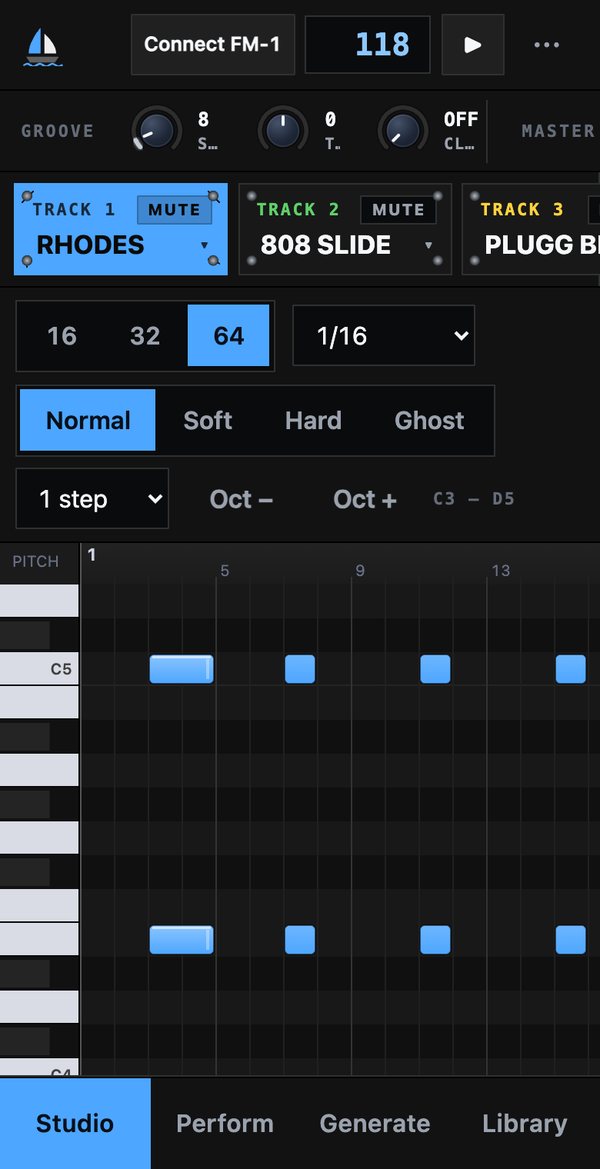
A piano roll for all four tracks, with every sound parameter under it.
- Draw, stretch, move and delete notes with the mouse or your finger
- Paint drums with normal, soft, hard and ghost hits
- 16, 32 or 64 steps, any grid from 1/4 to 1/32
- Every engine’s knobs, saved sounds and “what changed?” undo
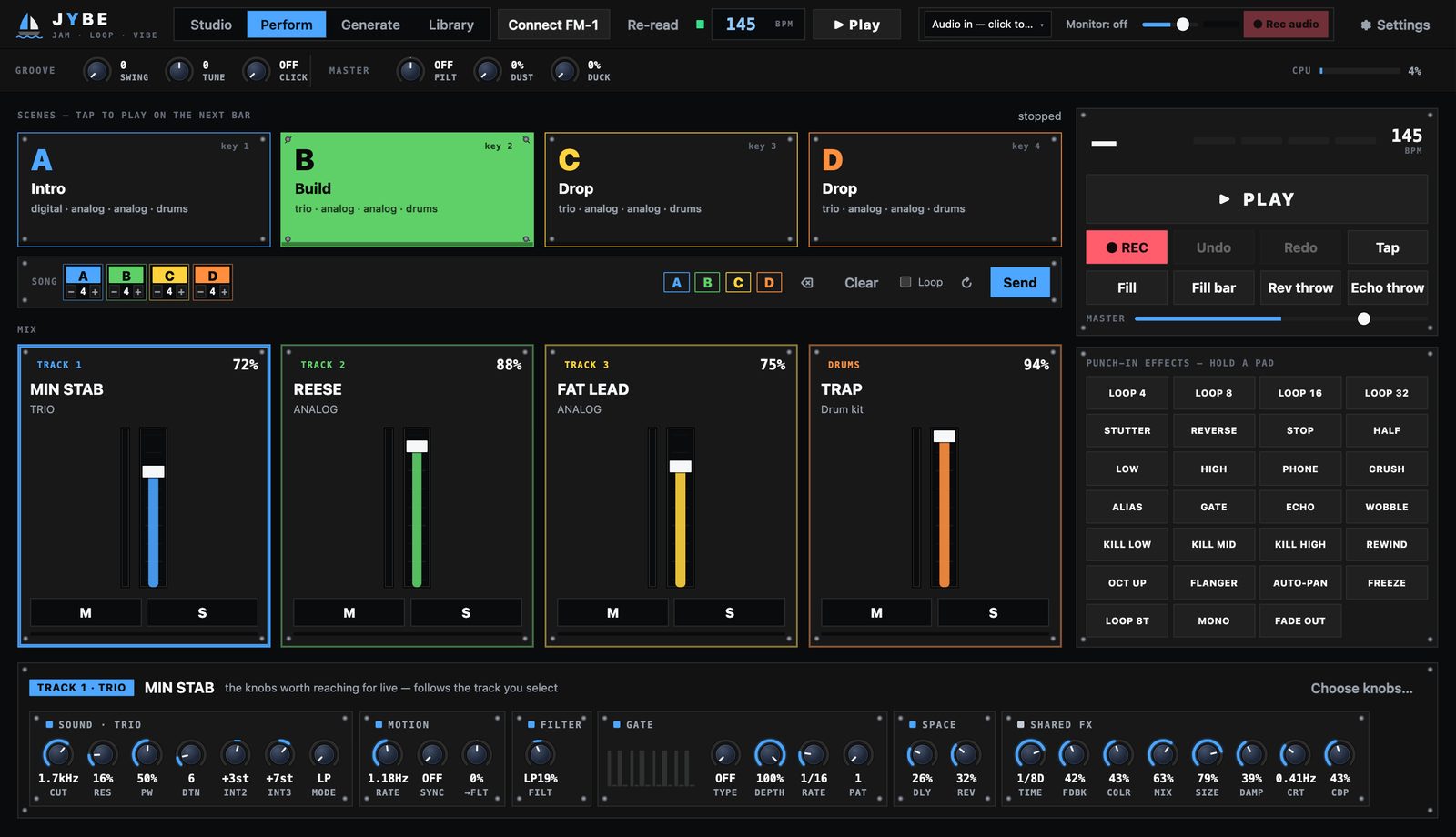
Plan the whole jam.
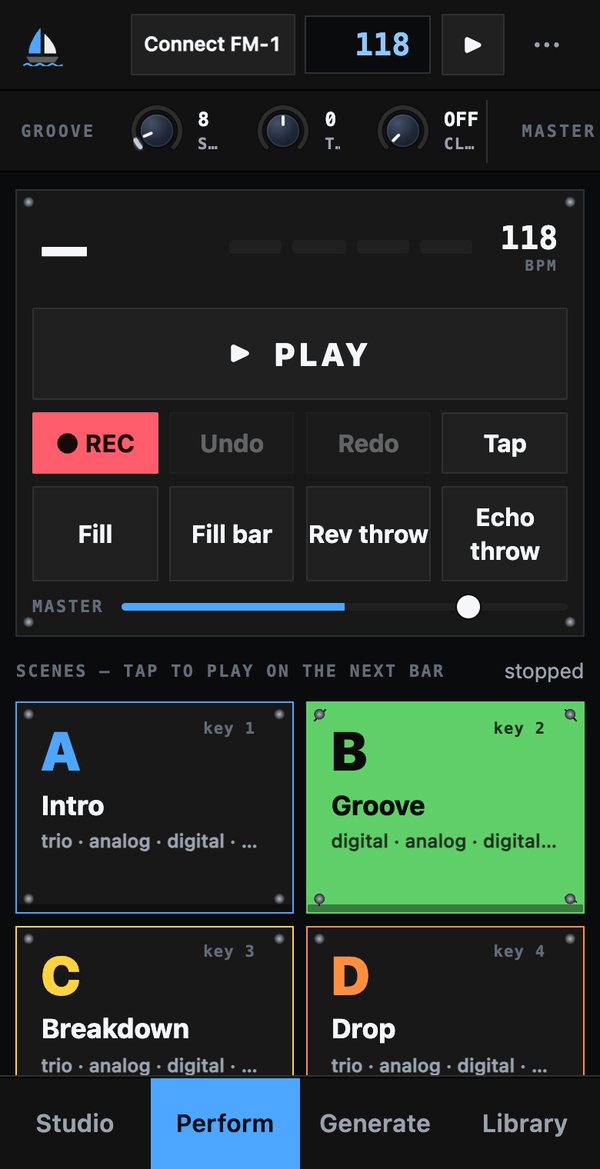
Scenes A to D under your fingers, with a mixer and punch-in effects.
- Tap a scene to switch on the next bar
- Mix, mute and solo all four tracks
- Loop, stutter and echo throws, plus fills and reverse
- Build a song order of up to 16 steps and send it
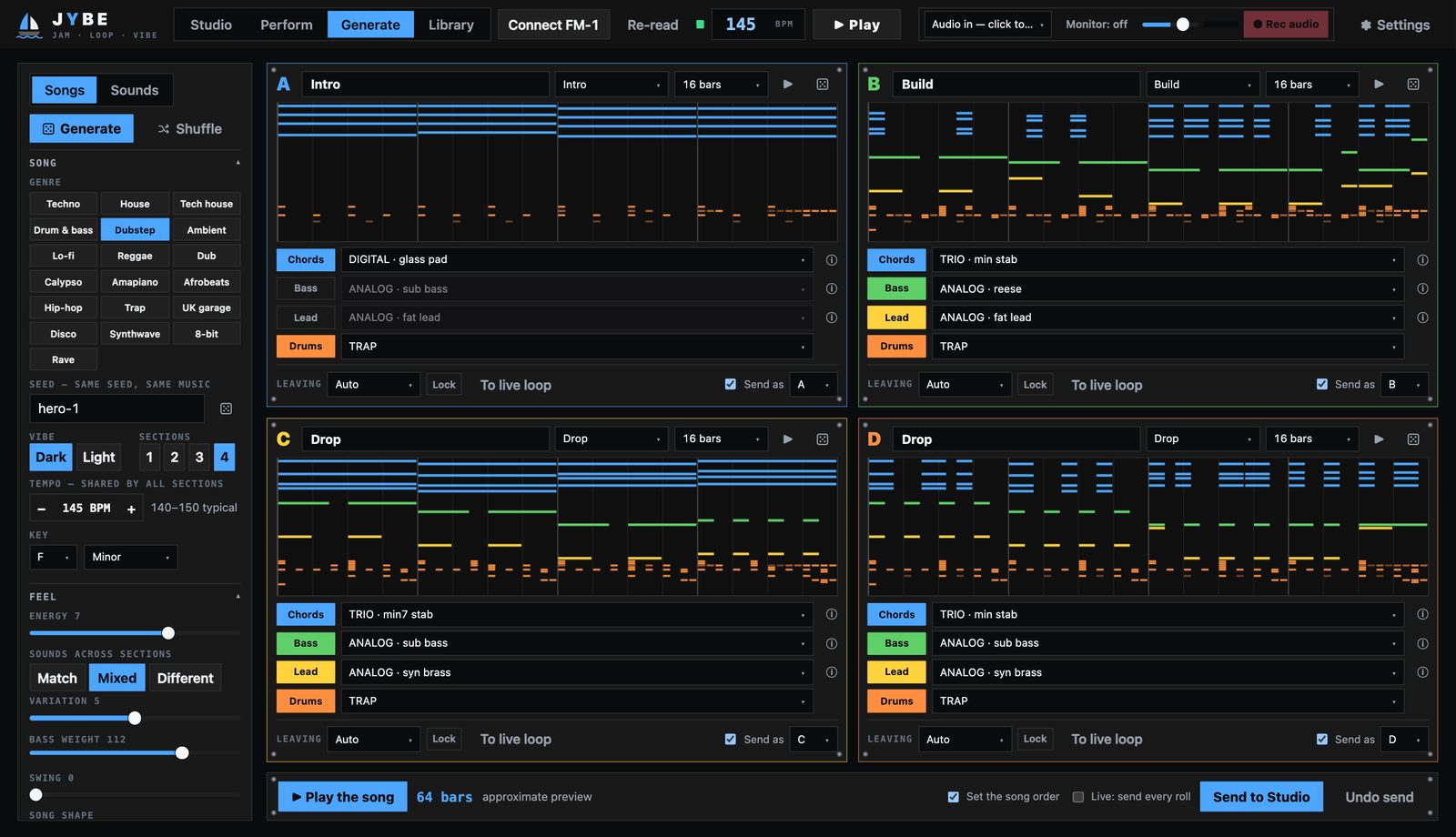
Need inspiration? Generate.
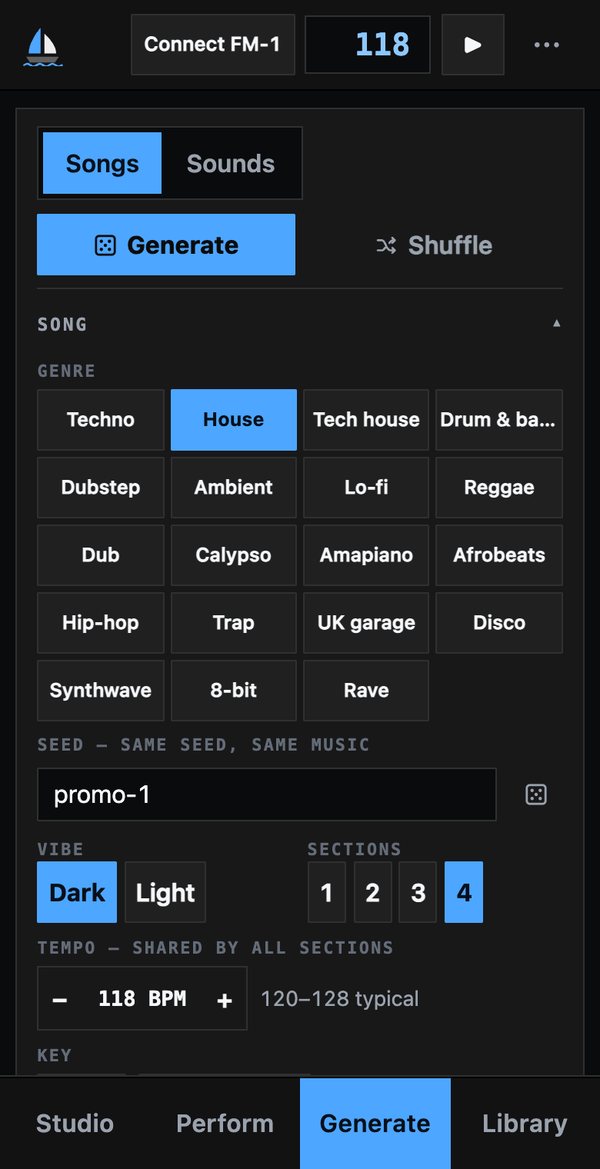
Pick a genre and get four sections that belong together: chords, bass, a melody and drums.
- 19 genres, from techno and dub to lo-fi, amapiano and 8‑bit
- Chord loops and melodies shaped by real reference patterns
- Same seed, same song. Reroll one section or the whole set
- Hear it in the browser, then send it to a section or the live loop
Back it up first.
Every send is saved before it replaces anything, so you can always go back.
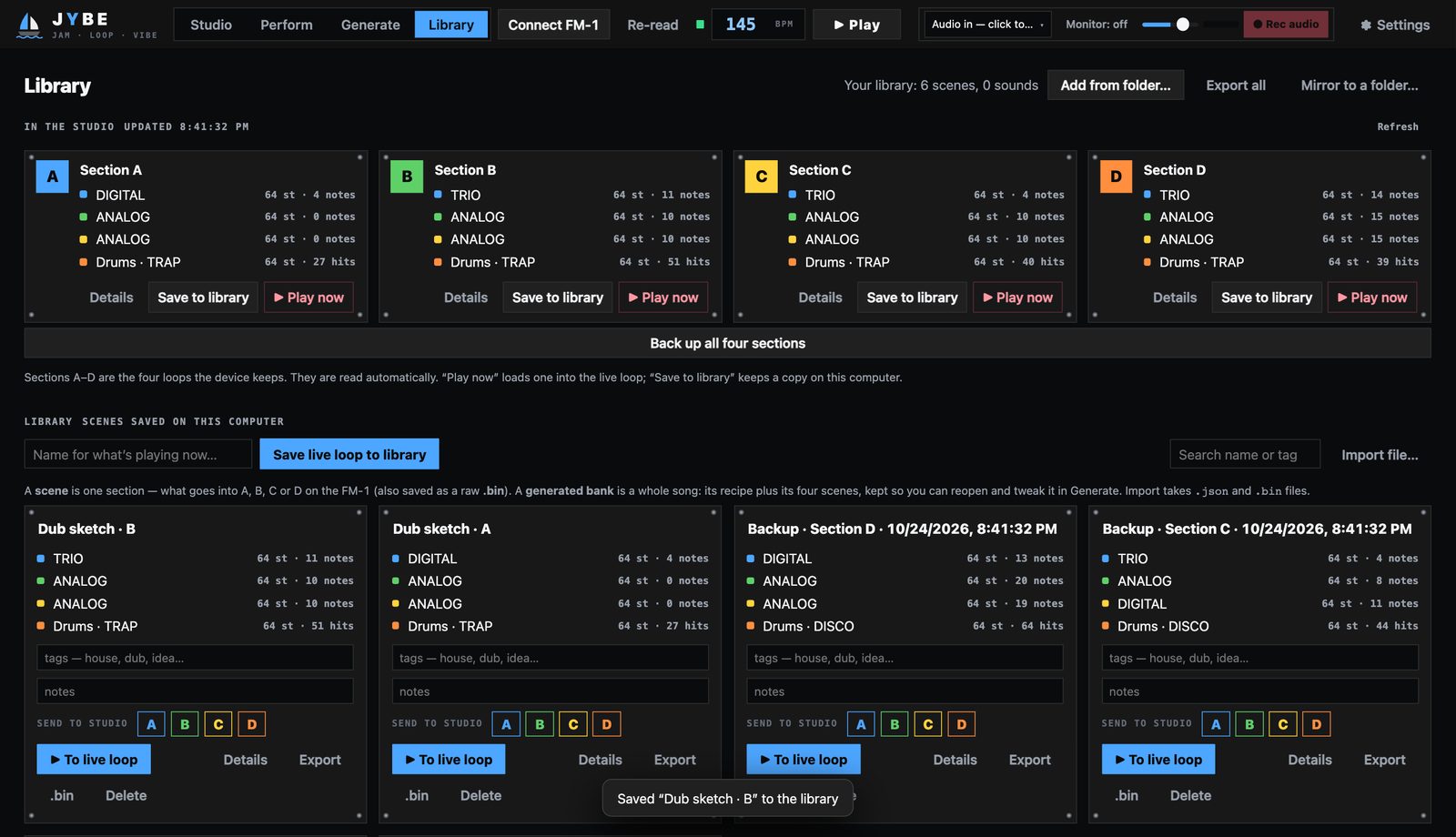
- Back up all four sections in one click
- Keep scenes and generated banks as files on your computer
- Import and export .json and .bin
- Record the FM‑1’s audio straight to WAV
The same studio in your pocket.
The layout adapts to the screen. On Android you can plug the FM‑1 into the USB‑C port and play.

Download JYBE
One 1.4 MB file. Save it, open it from your disk, and it works with no internet.
Open source
JYBE is free software under the GPL‑3.0. The code is moving to a public repository.
Questions.
What is SLOOP, and do I need it?
SLOOP is the open source firmware for the FM‑1. JYBE’s device connection is built for SLOOP 2.8 or newer, so the FM‑1 needs to be running it. Other firmware isn’t supported. JYBE doesn’t need SLOOP for anything else: the standalone studio runs SLOOP’s sound engine in your browser.
Do I need an FM‑1 at all?
No. Without one, JYBE opens as a standalone studio. You can write and generate songs, hear them, and keep them in your library. With an FM‑1 on SLOOP, you can also send them to the device.
Which browsers work?
Chrome and Edge on desktop and Android can talk to the FM‑1 over USB. Safari and Firefox can run the standalone studio but can’t reach MIDI devices.
Can I use it on my phone?
Yes. On Android, plug the FM‑1 into USB‑C. iPhones can use the standalone studio but can’t connect to a device.
Will it overwrite what’s on my FM‑1?
Only after you confirm, and never without a copy. Each send backs up the section it replaces, and the backups are in your Library.
Where is my work saved?
In your browser, on your computer. You can export scenes and banks as files any time, and mirror them to a folder if you like.
How does Generate work?
You choose a genre, key, tempo and mood. It builds chord loops, a bass line, a melody that follows the chords, and drums that fit the genre. The same seed always makes the same song.
Can I record the FM‑1’s sound?
Yes. Pick the FM‑1 as the audio input, then record. You get a stereo WAV, and separate files per track if your device sends them.
Can I use it offline?
Yes. Download JYBE.html from this page, or press “Offline copy” inside the app. It’s one file that works with no internet.
Is it really free?
Yes. It’s free software under the GPL‑3.0, with no account and no ads.
Who makes it?
GRVYT8. JYBE isn’t made by or affiliated with M‑VAVE or the SLOOP project. It runs on SLOOP’s open source engine.